- The Secret Ingredient: Mix Angelus 2-Hard with your paint at a 50/50 ratio to ensure adhesion on non-porous plastics.
- Preparation is Key: Always clean parts with Isopropyl Alcohol and sand layer lines to move from "prototype" to "collector's piece."
- Layering Strategy: Use multiple thin coats rather than one thick layer to avoid tackiness and preserve fine 3D details.
- Professional Protection: Seal your work with Angelus 4-Coat to protect against UV rays, scratches, and handling oils.
Finishing a 3D print is the difference between a rough plastic prototype and a high-end collector's piece. Whether you're working with PLA, ABS, or Resin, 3D-printed parts present unique challenges like porous surfaces, layer lines, and difficult paint adhesion.
To achieve a durable, factory-quality finish, you need a system designed for flexibility and bond strength. Here is how to use the Angelus Acrylic System to bring your prints to life.
Why Your 3D Print Needs a Specialized Approach
Unlike traditional surfaces, 3D prints have structural nuances that can ruin a paint job if ignored:
- Layer Lines: These ridges trap paint unevenly and can make a model look "cheap" if not properly sanded.
- Adhesion Issues: Standard craft paints often flake off non-porous plastics.
- Surface Tension: Some resins and filaments repel water-based paints without a proper "bite" or bonding agent.
The Secret Ingredient: Angelus 2-Hard
To make Angelus Acrylic Paint bond to hard, non-porous 3D materials, you must use Angelus 2-Hard.
How do I paint 3D printed plastic? To paint 3D prints, mix Angelus Acrylic Paint with 2-Hard in a 50/50 ratio for your base coats. This promotes superior adhesion and creates a hard, scratch-resistant surface that bonds directly to the plastic.
Step-by-Step: From Raw Print to Professional Finish
1. Preparation & Cleaning
Preparation is 90% of the work.
- Clean: Carefully clip away supports and wipe the entire model with Isopropyl Alcohol. This removes finger oils, dust, or residual resin that prevents paint from sticking.
- Sand: Start with 220-grit sandpaper to level layer lines. Progress to 400 or 600-grit for a smooth-to-the-touch finish.
2. The Adhesion Coat
Apply your 50/50 mix of Angelus Paint and 2-Hard. This layer acts as your "anchor." It bites into the plastic and provides a stable foundation for the rest of your colors.
3. Detail & Color
Once your base coat is set, you can apply standard Angelus paint for details.
- For Airbrushing: Mix with Angelus 2-Thin to ensure a smooth, clog-free flow.
- For Hand Brushing: Use Micro-Detail Brushes to hit the small crevices common in 3D miniatures.
4. The Final Seal: Angelus 4-Coat
Protect your work from UV rays, hand oils, and scratches. Angelus 4-Coat is a urethane-based clear coat that provides significantly more protection than standard finishers.
Choose from Flat, Matte, Satin, or High Gloss depending on the look of your model.
Application Comparison
| Method | Best For | Pro Tip |
|---|---|---|
| Airbrushing | Large surfaces & smooth gradients | Thin your paint with 2-Thin (1:4 ratio) for a factory finish. |
| Hand Brushing | Fine details & miniatures | Use thin layers to avoid "brush marks" in the plastic ridges. |
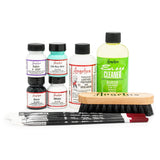
Required Materials for 3D Print Painting
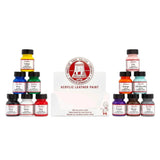
- Angelus Acrylic Paint: Available in 100+ colors for total customization.
- Angelus 2-Hard: The essential additive for bonding paint to hard plastic/resin.
- Angelus 4-Coat Finisher: A heavy-duty urethane sealer to prevent chipping.
- Angelus 2-Thin: Perfect for airbrushing or thinning paint for fine details.
-
Micro-Detail Paint Brush Set: Designed for the precision required in 3D modeling.
🎨 3D Print Painting: Frequently Asked Questions
Do I have to sand my prints before painting?
Technically no, but we highly recommend it. 3D prints have "layer lines" (tiny ridges from the printing process). If you skip sanding, your paint will actually make these ridges look more obvious.
-
The Workflow: Start with 220-grit sandpaper to level the surface, then move to 400-grit for a professional, smooth finish.
Can I use Angelus paint on resin prints?
Yes, but preparation is key. Resin prints (SLA/DLP) are smoother than standard 3D prints, but they can be "slick," which makes it hard for paint to stick.
-
Clean: Ensure the print is fully cured and wiped down with Isopropyl Alcohol.
-
Scuff: Lightly sand with a high-grit paper (600+).
-
Mix: Use your color mixed with Angelus 2-Hard to ensure the paint bonds to the plastic.
Why is my paint job feeling "tacky" or sticky?
Usually, this is caused by thick layers or leftover resin oils. Tackiness happens when the paint can't "gas out" properly or the surface wasn't clean.
-
The Fix: Always apply multiple thin coats rather than one heavy one.
-
The Cure: If your model is already sticky, applying a layer of Angelus 4-Coat Finisher will usually seal the surface and kill the tackiness.
Can I use an airbrush on 3D prints?
Absolutely! Airbrushing is the secret to getting that "factory" look on large props or armor.
-
Pro-Tip: To prevent clogging, mix your paint with Angelus 2-Thin at a 1:4 ratio (1 part thinner to 4 parts paint).
Image from: @_nox_customs_